01
Open your account
Follow the registration link and complete the app’s sign-up requirements.
Register with OK PayExplore INR orders, USDT and 4.5% cashback on eligible payments. Your balances, rewards and account details, together in OK Pay.
Android app App-displayed offers. Check current rates and eligibility before paying.
The reward rate shown in the app’s Payment and Statistics screens.
Try the calculator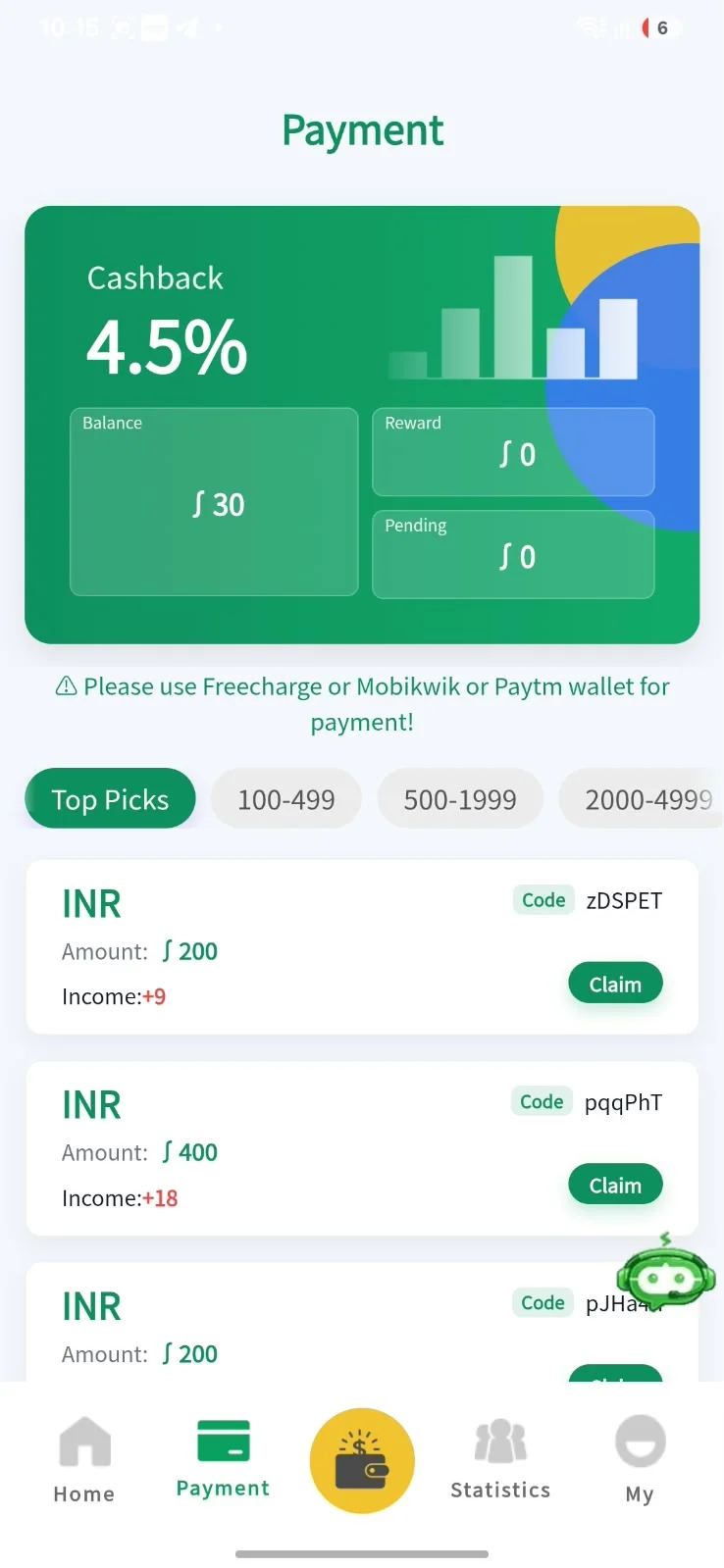
An app conversion quote. The final rate and any fees are confirmed in the app.
Calculate an estimateGet familiar with the app, review the details and take each step at your own pace.
Follow the registration link and complete the app’s sign-up requirements.
Register with OK PayCheck the amount, reward, payment method and recipient before confirming a payment.
Explore the screensUse Home, My Asset and Statistics to review your balance, transactions and commission.
Understand the numbersTake a closer look at the supplied app screens. Tap a preview to see the full details.
Balance and quick actions.
Amounts and cashback.
Wallet, tools and support.
Rates and account activity.
Screenshots are app references, not live account data. Features and offers can change.
Try an amount and see what the displayed offer means. The cashback and USDT estimates are calculated separately.
These are illustrations based on the displayed rates. Fees, eligibility and the app’s final terms can affect the outcome. Cashback is not daily interest or a guaranteed return.
Get to know the app and its displayed offers before you begin.
Join us on TelegramThe provided app screens show INR payment orders, cashback, a USDT conversion rate, balances and account statistics. My Asset includes wallet, commission, service, PIN and tutorial options. Availability depends on the current app.
Multiply an eligible order’s amount by the cashback rate. The supplied screenshot shows ₹200 with a ₹9.00 reward and ₹400 with a ₹18 reward. Those examples use 4.5%. Check eligibility and crediting terms inside the app.
No. ₹112 is the app-displayed conversion quote used on this page. It is not a live market feed. Confirm the final rate, fees and supported network inside the app before a transaction.
“Create an account” opens the supplied referral registration link at okpay365.win. “Download APK” downloads the supplied Android app file. Review the app permissions and Android’s prompts before choosing to install it.
The Home screen shows balances and transactions. Statistics shows deposit, sell, commission and payment information. My Asset includes account tools, Service and Tutorial options.
No. This is a promotional referral page with app previews, an estimate calculator and external links. It does not collect payment details or operate an account. Account services and transactions happen in the linked app.
 YOUR NEXT MOVE
Take the app with you. Explore the details.